01
A proper canvas
Eight resize handles, box selection that starts anywhere, zoom, snapping, align and distribute, lock, and 200 steps of undo.
A visual designer for Minecraft menus, dashboards, shops and control panels. Drag controls onto a canvas, wire buttons to actions or JavaScript, preview it on your desktop, then export one mod JAR. No Java screen classes.
Toolbox, layers and properties where you'd expect them. Dockable panels, a real undo history, keyboard shortcuts you can rebind, and a canvas that shows exactly what players will see.
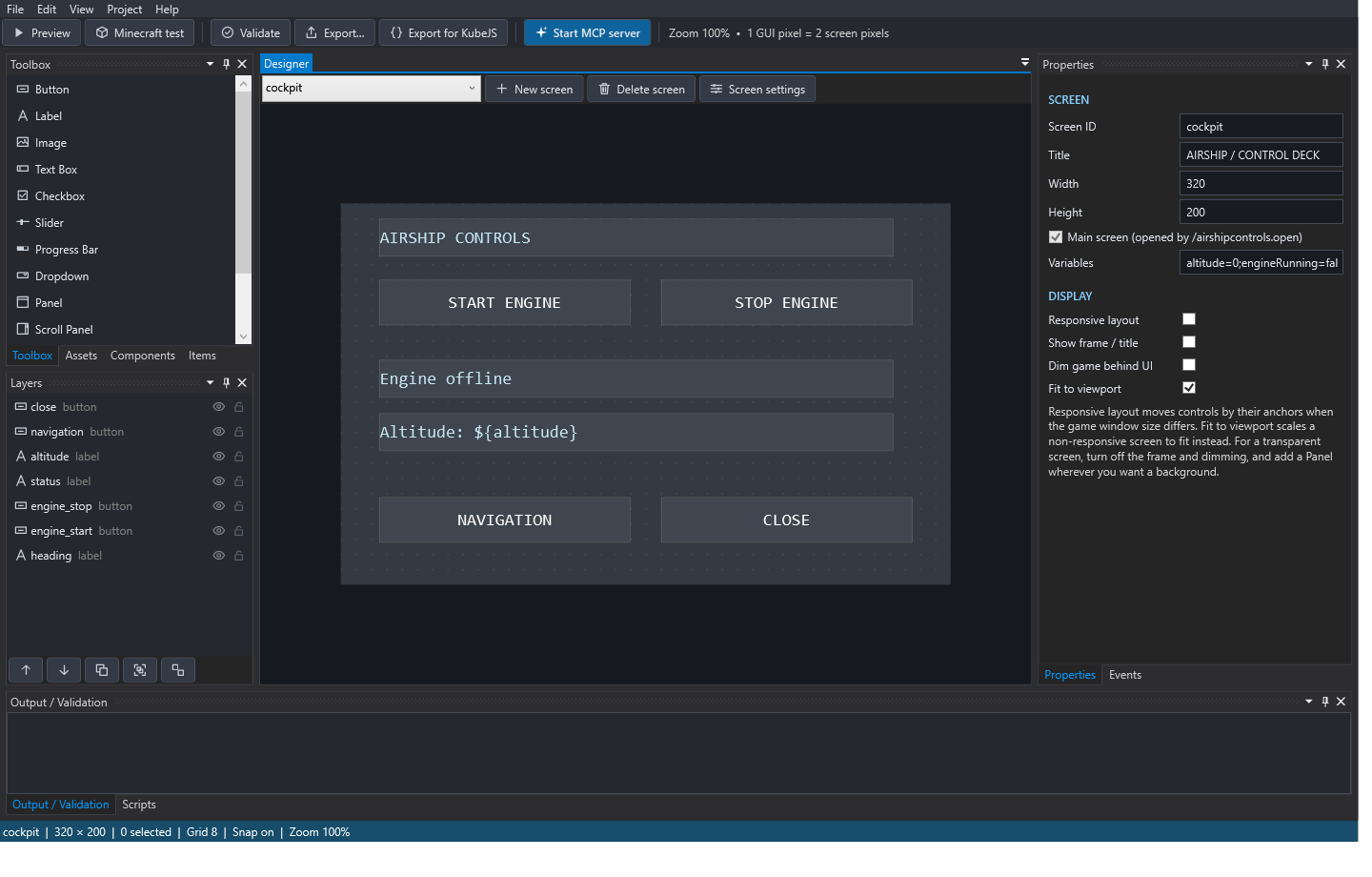
If making a Minecraft menu takes a whole Java class, that sounds like next week's project.
mods and type /yourproject.open.Everything needed to go from idea to installed mod, with the boring parts automated and the risky parts handled on the server where they belong.
Eight resize handles, box selection that starts anywhere, zoom, snapping, align and distribute, lock, and 200 steps of undo.
Pin controls to edges or stretch them. Resize a panel and its contents reflow on the canvas, exactly as they will in any game window.
Nested groups, isolation mode, eye and lock toggles, and drag-onto-a-panel to parent. Children clip, move and hide with their panel.
Save a header or toolbar once, place linked copies everywhere, update them all at once. Eight built-in starters included.
Built-in actions for the common stuff, a bundled JavaScript engine for the rest, and ready-made script templates for grants, commands and lists.
Browse real Minecraft and modded items, drop in icons, and build scrollable shops and inventories with custom row templates.
Clients only report "this was clicked". The server checks sessions, conditions, permissions and cooldowns. Nobody gets extra permissions.
Write KubeJS server handlers alongside standard scripts. Export for KubeJS bundles them into the same JAR.
Click Start MCP server and let Claude or another MCP assistant add controls, write scripts and validate, with every change undoable.
Both downloads contain the same editor with its own .NET runtime built in. Pick the installer for a normal Windows install, or the portable ZIP to run it from any folder.
Installs for your user account, no admin rights needed. Adds a Start-menu shortcut and opens
.wysicraftproj files on double-click. Upgrade by running a newer installer.
No installation. Extract anywhere and run Designer\Wysicraft.Designer.exe. Includes the
Minecraft runtime JAR and the test environment. Keep the folders together.
Release notes and older versions on GitHub ↗